
MOBILE MINING PREDICTIVE MAINTENANCE
CAN Bus → Gateway Software → Data Processing → Internet → Your Server → Database
👉 Your job is to build the **software inside the gateway + backend API**
# 🧱 Step 1: Read Data from CAN Bus (on the Gateway)
Most industrial gateways run Linux.
You use **SocketCAN (Linux CAN system)**
### Install tools:
“`bash
sudo apt update
sudo apt install can-utils
“`
### Start CAN interface:
“`bash
sudo ip link set can0 up type can bitrate 500000
“`
### Read live data:
“`bash
candump can0
👉 Now your gateway is **listening to the machine**
—
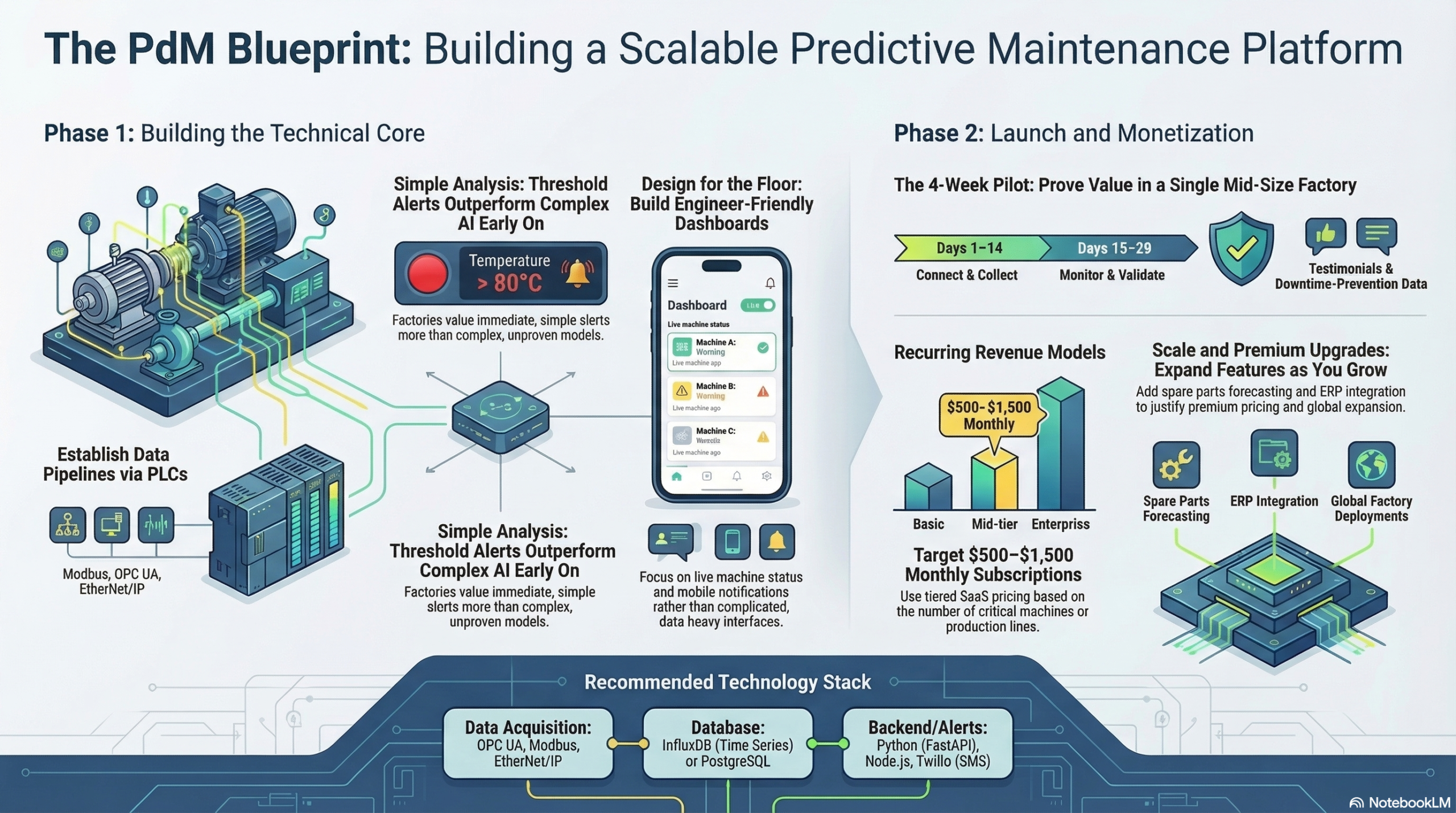
# 🧠 Big Picture First
After installing your industrial gateway, the flow becomes:
“`
CAN Bus → Gateway Software → Data Processing → Internet → Your Server → Database
“`
👉 Your job is to build the **software inside the gateway + backend API**
—
# 🧱 Step 1: Read Data from CAN Bus (on the Gateway)
Most industrial gateways run Linux.
You use **SocketCAN (Linux CAN system)**
### Install tools:
“`bash
sudo apt update
sudo apt install can-utils
“`
### Start CAN interface:
“`bash
sudo ip link set can0 up type can bitrate 500000
“`
### Read live data:
“`bash
candump can0
“`
👉 Now your gateway is **listening to the machine**
—
# 🐍 Step 2: Write a Data Collector (Python)
Instead of just printing data, you write a script:
“`python
import can
bus = can.interface.Bus(channel=’can0′, bustype=’socketcan’)
for msg in bus:
print({
“id”: hex(msg.arbitration_id),
“data”: list(msg.data)
})
“`
👉 This captures raw CAN messages
—
# 🧠 Step 3: Decode the Data (IMPORTANT)
Raw data is useless unless decoded.
You must:
* Use DBC file OR
* Map IDs manually
### Example decoding:
“`python
def decode(msg):
if msg.arbitration_id == 0x0CF00400:
rpm = msg.data[3] * 256 + msg.data[2]
return {“rpm”: rpm}
“`
👉 Now you convert raw → meaningful data
—
# 📦 Step 4: Format Data (Standard JSON)
You prepare clean data:
“`json
{
“machine_id”: “TRUCK_01”,
“rpm”: 1500,
“temperature”: 92,
“timestamp”: “2026-03-21T10:00:00”
}
“`
—
# 🌐 Step 5: Send Data to Your Remote Server
## Option A: REST API (Simple)
“`python
import requests
requests.post(
“https://yourserver.com/api/data”,
json=data
)
“`
—
## Option B: MQTT (Better for IoT)
Use an MQTT broker (like Mosquitto)
“`python
import paho.mqtt.publish as publish
publish.single(
“mining/truck01”,
payload=str(data),
hostname=”your-broker.com”
)
“`
👉 MQTT is:
* Faster
* Lightweight
* Real-time
—
# ☁️ Step 6: Your Backend Server (Cloud)
On your server (AWS / Azure / VPS):
You build:
* API (FastAPI / Node.js)
* Data ingestion service
Example (Python FastAPI):
“`python
from fastapi import FastAPI
app = FastAPI()
@app.post(“/api/data”)
async def receive_data(data: dict):
# save to database
return {“status”: “ok”}
“`
—
# 🗄️ Step 7: Store in Database
Best option:
### Time-series database:
* InfluxDB
* TimescaleDB
Example:
“`python
db.insert({
“machine_id”: “TRUCK_01”,
“rpm”: 1500,
“time”: now()
})
“`
—
# 📊 Step 8: Use Data for AI + Dashboard
Now your system:
* Runs predictive models
* Detects anomalies
* Displays in dashboards (Grafana)
—
# 🔥 FULL PIPELINE (REAL SYSTEM)
“`
[Machine CAN Bus]
↓
[Industrial Gateway]
(Python + SocketCAN)
↓
[MQTT / API]
↓
[Cloud Backend]
↓
[Database]
↓
[AI Models]
↓
[Dashboard + Alerts]
“`
—
# ⚠️ Real-World Tips (Very Important)
## 1. Buffer data locally
If network fails:
👉 Store locally (SQLite) → send later
—
## 2. Send only useful data
Don’t send raw CAN flood:
* Filter important signals
—
## 3. Secure communication
* Use HTTPS / TLS
* Authenticate devices
—
## 4. Use device ID
Each gateway must have:
“`json
“gateway_id”: “GATEWAY_001”
“`
—
# 💡 Pro Insight (This is BIG)
You are building **two systems**:
1. **Edge software (gateway)**
2. **Cloud platform (SaaS)**
👉 Most people fail because they only focus on one
—
# ⚡ Final Answer
👉 After connecting the gateway:
1. Read CAN data (SocketCAN)
2. Decode it
3. Format as JSON
4. Send via API or MQTT
5. Store in your database
6. Run AI + dashboards